Getting paid
Do I have to take payment through Deliver?
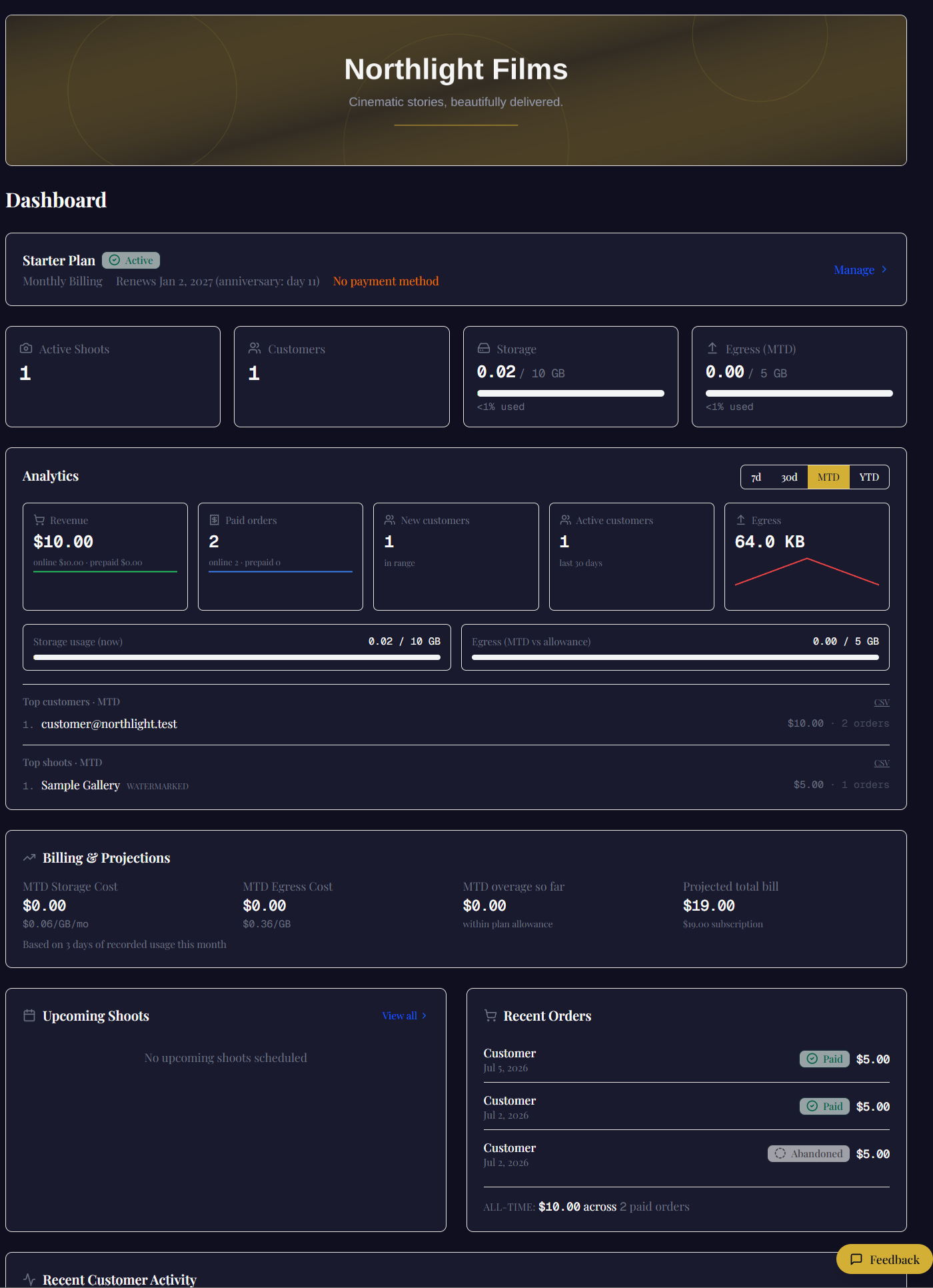
No. Plenty of work is already paid for before anyone sees a gallery — a contract, an invoice, a deposit, cash on the day. Set the shoot to prepaid and the client just gets their files: no watermark, no checkout, no prompt to buy something they already own.
You can still record what the job was worth. Put the figure on the shoot and it joins your revenue reporting alongside gallery sales — one trendline, whether the money arrived through Deliver or through your bank.
When a client does buy, where does the money go?
Straight into your own account. You connect your Stripe or your Square — your choice of processor, per studio — and client payments route directly to it. We are not a party to the transaction, so there is no cut, no payout schedule, and nothing of yours sitting in our balance.
Can I sell to people who were never my clients?
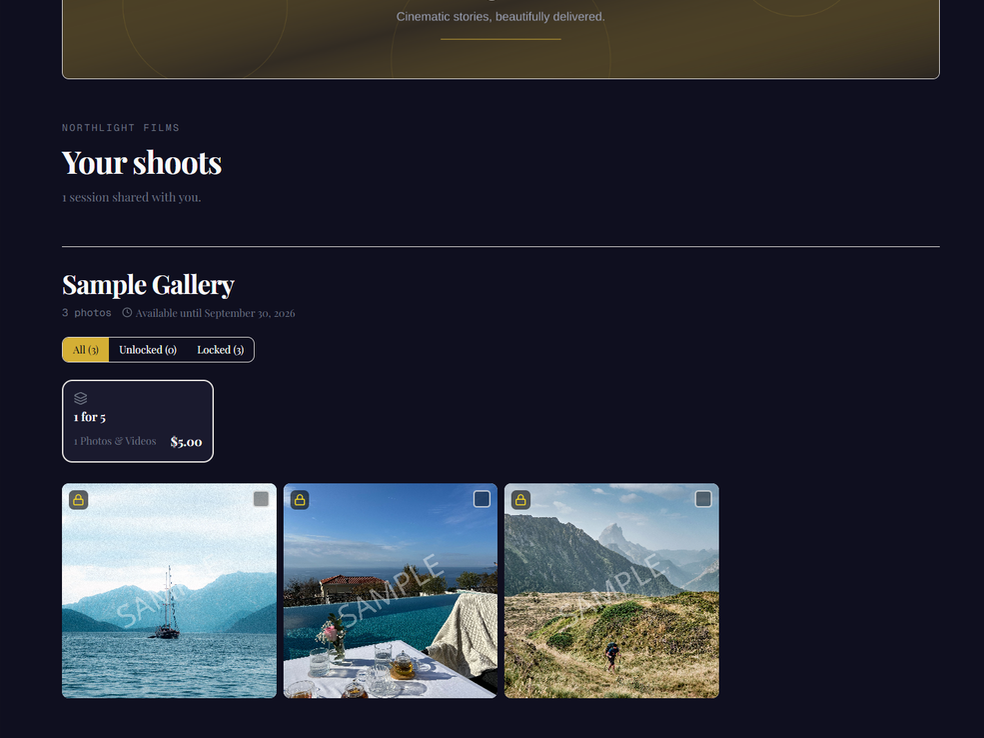
Yes, and this is the one most studios are leaving on the table. A public gallery is a link anyone can open — no invitation, no account. Set it to watermarked and every visitor can browse; they sign in only at the moment they pay.
Price per photo, or attach a package — "all 40 frames from the meet, $60" — to anyone with the link.
Several people want the same gallery. Can they split it?
Turn on Group purchasing and the shoot becomes collaborative. Every purchase unlocks that photo for everyone invited, so each person buys the frames they actually want and the group ends up with all of them. Nobody can be charged for something someone else already bought.
Buyers see a small Group badge — they know it came from the group, never who paid for it. That anonymity is what makes it usable between two families, or four departments with different budgets.
Can I run a discount?
Yes. Make a code for a percentage or a fixed amount off — across everything, one shoot or one gallery — with a limit on how many times it can be used and the dates it runs. The client types it at checkout, and the payment still goes straight to your own Stripe or Square.
Can a client find what they bought later?
Yes. Every client has an Orders and receipts tab with each order they’ve placed and its receipt, so the record is theirs to find rather than yours to dig out.
What does a client see in the seconds after paying?
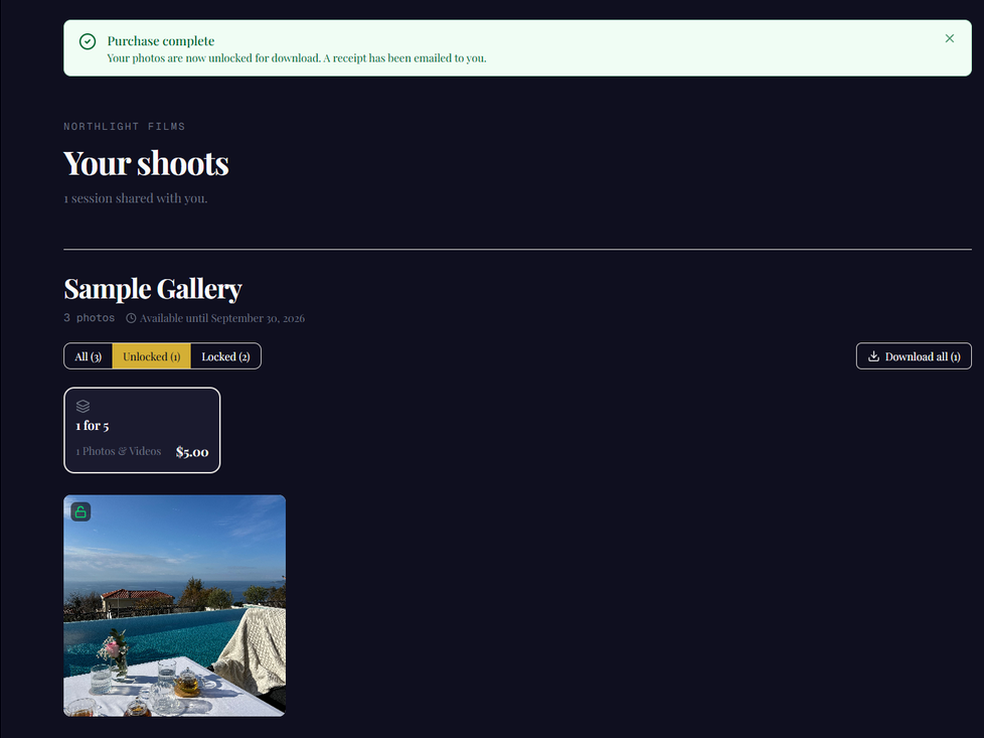
One of three true things. If the payment has cleared, the files are unlocked. If the processor hasn’t confirmed yet, the page says it is still confirming and waits a bounded time rather than guessing. If something failed to load, it says so. It never shows “complete” before it is, and never shows a lock the client has already paid to open.
Delivering the work
Do buyers have to create an account just to look?
No — and this is usually where galleries lose money. Your link gets forwarded to parents, to the wedding party, to the friend getting married next spring. A public gallery lets all of them browse instantly. Sign-in happens at checkout, not at the door.
Can a client mark the ones they want?
Yes. Clients heart the frames they want as they browse, add a note to any of them, and filter the gallery down to just their picks to review the shortlist before they decide. You see every client's list on the shoot, grouped by who chose what, and can export the lot as a CSV to work from.
Can some photos be free, some for sale, and some neither?
In the same gallery, yes. Price frames individually or set one price across the lot, mark anything $0 so it downloads free, and mark anything not for sale so it can be seen but never bought. Useful for a portfolio piece you'll show but won't licence.
What about video?
Photo and video, both watermarked automatically on upload, with your logo scaled to the frame. Clients browse the watermarked cut and pay to unlock the clean file, the same way they do with stills.
Price them together or separately — a package can cover photos, video, or both.
My camera and phone files are a mess. Will they just work?
iPhone HEIC files convert to JPEG on the way in, so nobody has to explain to a client why the photos won't open. Uploads are checked by actual file type rather than trusting the extension.
I shot 2,000 frames. How does anyone find anything?
Folders inside the gallery — by team, by class, by heat, by hour — plus an all-folders view when someone wants to see everything at once. A buyer can go straight to the eight frames that concern them instead of scrolling past the other 1,992.
Can each gallery look different?
Yes. Pick a layout — grid, masonry, a single column or a film strip — set two to six columns and the spacing, choose a cover (none, a banner or full-screen), and put the frames in your own order rather than upload order. There’s a slideshow for clients who would rather sit back and watch.
Four looks are built in, and you can save your own as templates and make one your studio default, so every new shoot starts dressed. A single gallery can also carry its own colours, font and watermark when one job needs to look different from the rest.
Can a client share the gallery with their family?
If you allow it. Switch it on and a client can make a view-only link for the people they choose — nobody needs an account to look — and you decide whether that link can download.
It is off until you turn it on, because not every studio wants its galleries passed around.
Can clients choose the download size?
You choose what they’re offered, per shoot: the original, a web-sized copy (2,048 pixels on the long edge) that is quicker to send and post, or both.
Can a client download everything at once?
Yes — with the accounting first. Before a bulk download starts, the gallery shows what the archive will contain, what it will leave out and why, and how big it is; the client confirms, and only then do the files move. The same list is repeated as a README inside the archive, so nobody opens a ZIP and wonders what happened to the rest.
A gallery too big for one archive is offered folder by folder instead of failing part-way.
Can a client save the photos straight to their phone?
On an iPhone or an Android phone, one tap. The gallery hands the unlocked images to the phone’s share sheet, and Save N Images puts them in the camera roll in one gesture — no app to install, and no confirmation dialog per photo. On a computer the same button downloads files.
Setting up a shoot
How does a client actually get into their gallery?
You invite them by email and they set their own password — you never issue or reset one. They see only the media assigned to them, on your branded subdomain, with your name on it.
One shoot can carry many customers, each buying different frames, each seeing only what they bought.
What kinds of package can I sell?
Three shapes. A bundle — a fixed set for one price. À la carte — they pick frames and pay per photo. Or prepaid, where the money happened elsewhere and the gallery is pure delivery.
Packages can be scoped to photos, video or both, with an optional cap on how many items are included, and assigned per shoot rather than per account.
Can I control what the watermark looks like?
It's your logo, applied automatically on upload, scaled in proportion to the frame so it sits correctly on a wide crop and a tall one alike — on video as well as stills.
Watermarked previews are what buyers browse. The clean original is what unlocks on purchase, and the watermarked copy cleans itself up once everyone assigned has bought.
Can I run more than one public gallery?
As many as you like, and they aren't gated by plan — a free workspace can run them too. Each one is independently configured: open or watermarked, indexed or hidden, password or private link.
That's four working combinations, so a portfolio, a paid event storefront and a private family gallery can all be live at once under the same brand.
Running the business
Does it look like my studio, or like your software?
Yours. Logo, banner, colours, fonts and watermark are all yours, on a branded subdomain, on every plan including the free one. On Professional and above you can put the gallery on your own domain, so the address bar says your studio too.
Can the rest of my team use it?
Yes — a person is a seat, not a surcharge. Professional is five seats, Studio is fifteen, Enterprise is unlimited, and a read-only seat — someone who only needs to look — doesn’t count toward any of them. Team members sign in with Google, Apple, or a username and password they set themselves, and can turn on two-factor authentication. There is nothing for you to issue or reset.
Adding someone doesn't change what you pay per job and doesn't take a percentage of what their galleries sell. Built for one photographer, or ten.
Can I schedule the crew?
Yes. Assign people to a shoot and each of them gets an email with a calendar invitation that Google, Apple and Outlook calendars add — and update if the shoot moves. Everyone has a calendar of what they’re booked on.
There is also a calendar feed you can subscribe to for planning. Google refreshes subscribed calendars only every 12–24 hours, so treat the feed as a planning view; the invitation email is how a booking reaches someone.
Can client emails come from my own address?
Yes. Gallery invites, expiry reminders and receipts can come from your own address — hello@yourstudio.com — through your email provider, instead of from ours.
How do I know whether anyone actually opened it?
Every client carries a timeline — viewed, downloaded, purchased — and a status that keeps itself current: Never logged in, Active, or Buyer. So "did they see it?" and "who is worth following up?" are things you look at rather than guess at.
Can I bring my client list with me?
Yes. Import customers from a CSV — a dry run shows what would be added before anything is — and export them whenever you like. Tag customers to group them, and export just one tag when that’s the list you need.
How long do galleries stay up, and what happens after?
You decide — per shoot, or set a default for the whole workspace, or never expire at all. A week before anything closes, both you and your client get a warning, so nobody discovers a dead link on their own.
When a shoot with sales does expire, you get a PDF: what sold, who bought which frame, what the job made, with a thumbnail grid. The gallery goes away and the record doesn't.
Is my clients' work actually safe in here?
Files are served through short-lived signed links rather than public URLs, each studio's data is isolated at the database level, and you can turn on two-factor with recovery codes. Restricted galleries are never search-indexed.
Clients can also request deletion of their own data, and you'll see the request in a queue — your order and payment records survive it.
Costs, plans and limits
How many clients can I have?
Unlimited, on every plan, including the free one. Your client list is not something we meter and it is never the reason you have to move up a tier. Plans differ on storage and seats — never on how many people you serve.
What happens if I go over my storage or delivery?
On a paid plan it keeps working and you pay for the extra: $0.06 per GB per month of storage, $0.25 per GB of delivery, collected as one balance and billed when it reaches $5. Published up front rather than discovered on an invoice.
Storage is what you hold. Delivery is what leaves — every time someone opens a gallery or downloads a file. Popular work costs more to deliver than quiet work.
Is the free plan a trial in disguise?
No. It's $0 a month with no card, no countdown, and no point later where it asks for one. One active shoot, up to 250 photos, 3 GB of storage and 5 GB of delivery — enough to run one real job from upload to download.
The limits, plainly: photos only — video is on every paid plan — and free galleries carry a small Powered by Tobren badge. That's the whole of it.
What do I get in the trial, and what happens at the end?
Fourteen days of whichever plan you pick, at that plan's real limits — a preview of the thing itself, not a stripped version. Nothing is capped mid-trial and trial overage is never charged.
At day fourteen nothing is charged, because there's no card on file to charge. Pick a plan when you're ready. If you do nothing, we email you and hold the account for a week before it goes read-only: your files stay exactly where they are, and adding a card brings everything back.
Your data, and your clients'
What happens to the location data in my photos?
By default it comes off. As photos and video are uploaded, Deliver strips the location and the editing-software tags; camera, date and copyright details are yours to keep or remove as well. The colour profile always stays, because removing it shifts the colour.
It applies to new uploads. Work already in a gallery isn’t reprocessed, and the stripped details aren’t kept anywhere else.
Who owns the photographs?
You do. We store and deliver them on your behalf. We don't licence them, don't use them to promote anything, and aren't a party to what you sell.
A client asks me to delete their data. Then what?
They can ask directly and the request lands in a queue for you to action, rather than becoming an email you have to remember. Media goes; the order and payment record survives, because you need it for your accounts and so does your accountant.
If I stop paying, do I lose everything?
No. Nothing is ever deleted to force you under a limit. An account that lapses goes read-only — the work is still there, existing buyers can still collect what they paid for, and settling up puts you straight back.
Things we don't do yet
Face recognition and print labs
Neither is built. There's no automatic "find every photo of this person," and we don't print — we deliver files and take the payment for them, and the lab relationship stays yours.
Bulk import from Google Drive
Switched off while we complete Google's security review, rather than shipped half-done. Uploading directly works normally in the meantime.
We'd rather you read this here than find out after moving a season of work across.